Designing for Users — Tasks, Contexts of Use & User Perspectives
Design for the task, not the interface; useful, usable and used; the user as processor, predictor and participant; the GPS turn example; UX beyond interaction.
▶Lecture videos
Click any timestamp — here or inside the notes — to jump the video to that moment. Your position is remembered.
Overview – Designing for the User
Why you must understand tasks first, illustrated with Google Maps navigation and automatic rerouting.
00:04Topic: designing for the user00:59Understand the tasks before designing interfaces01:53Premature design → poor interfaces (deviate from the task, make it hard)02:53Example: Google Maps navigation04:27Missing a turn and what happens next05:12Automatic rerouting vs turning back06:27Think about the driver's individual tasks and contextContexts of "Use"
Useful, usable and used, and why a successful interface needs all three.
00:00Three forms: useful, usable, used00:30Useful: lets the user achieve a task01:13Usable: pleasurable, effective, without fear of failure02:07Used: used again and again, which means acceptance1Design for tasks, not interfaces
Rushing into visual components (buttons, menus, screens) before analysing the task the user wants to accomplish.
- Interfaces only mediate between the human and their goal. If the interface puts its own internal logic ahead of the user's mental workflow, frustration follows.
- The lecturer says designing before identifying tasks properly is premature design, and it leads to poor interfaces 01:53: 1. The interface may deviate from the original task, so you can't do the real task. 2. The interface may make the task difficult: it supports the task, but getting the work done isn't easy 02:53.
Case study: automatic rerouting in navigation apps 02:53
| Situation | A driver follows Google Maps navigation. A left turn is coming in about 1 km. The driver misses the turn 04:27 |
| What a human would do | Usually turn back to the planned route 05:12 |
| What the app does | Automatically reroutes onto a new path, sometimes along roads that are hard to drive |
| Root causes | Turn instructions weren't timely; the driver had no time to decide. The app optimised the algorithm, not the driver's mental task |
| Lesson | Think about the individual sub-tasks: deciding to turn, deciding to turn back, processing an instruction quickly, and the context affecting the driver. Don't only think "reach the destination" 06:27 |
Driving needs psychological pre-planning and spatial awareness. Sudden route changes nobody asked for disorient the driver and create cognitive friction.
2The three contexts of "use": useful, usable, used
| Pillar | Question | Meaning (from the video) |
|---|---|---|
| 🎯 Useful (utility) | Does it provide the functions needed to achieve the task? | The interface allows the user to achieve some task. How easily is a separate question 00:30. Usefulness is subjective: it depends on individual needs |
| ⚡ Usable (usability) | Can the task be done effectively, efficiently and pleasurably, without anxiety or error traps? | The task is done in a more pleasurable and effective way, at least without errors. No fear of failing 01:13 |
| 🏆 Used (adoption) | Do real users choose to come back to it over time? | Used over and over for a long period, which signals acceptance of the design 02:07. An unused interface is a failed product |
"For an interface to be successful, it has to be useful, usable and used" 02:07. Be ready to define each one with an example and explain combinations: something can be useful but not usable, or useful and usable but not used.
3Three perspectives of the user
How we model the user changes both the design and the evaluation method.
1. User as a processor
The human is a biological input/output transducer. Cognitive internals are a black box; we measure raw stimulus → response.
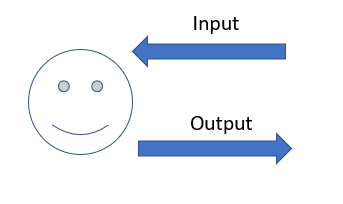
- Strengths: quantitative metrics (time to complete a form, reaction latency in ms, % error clicks). Objective, repeatable comparisons between layouts. May use existing data.
- Limitations: tells you how fast an error happened, not why. Cannot reason out the differences. Good for minor tuning, no support for redesign.
2. User as a predictor
Models the user's mental models, expectations, background knowledge and reasoning.
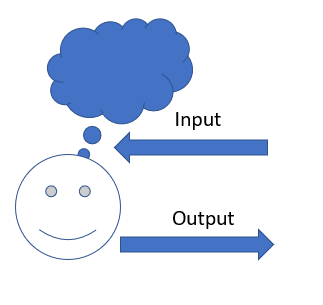
- Strengths: qualitative ex-situ studies (outside the real setting): cognitive walkthroughs, think-aloud protocols, open-ended task analysis. Gives a more complete picture and targets different levels of expertise (novice vs expert).
- Limitations: done in clean, isolated labs, so it ignores the interaction context. Analysis is expensive (expert time) and subject to biases.
3. User as a participant
The most holistic view. The user is situated in a real, dynamic social and physical environment, with other people, competing tasks and noise.
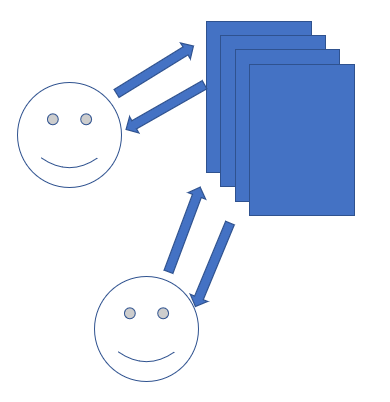
- Strengths: in-situ field studies in the real setting. Evaluates interaction in context and captures authentic attention: divided attention, stress, interruptions.
- Limitations: needs fully working hardware/software in the field (no paper mock-ups). Expensive, and subject to contextual interference (uncontrollable variables).
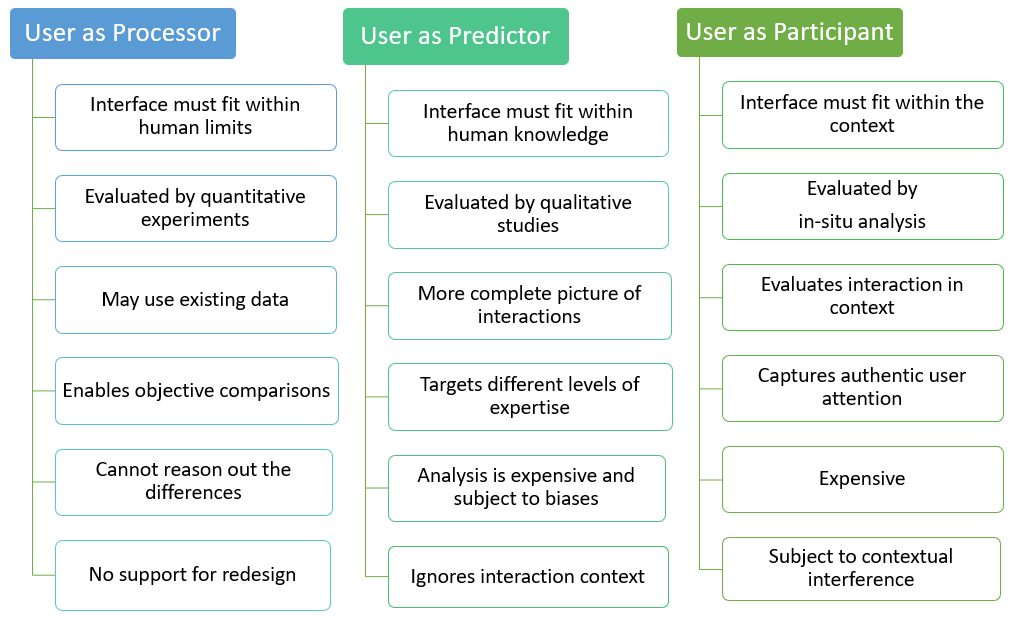
Comparison matrix (Figure 4.4)
| Processor | Predictor | Participant | |
|---|---|---|---|
| Interface must fit… | human limits | human knowledge | the context |
| Evaluated by | Quantitative experiments | Qualitative studies | In-situ analysis |
| Plus | May use existing data; objective comparisons | More complete picture; targets expertise levels | Evaluates in context; authentic attention |
| Minus | Can't reason out differences; no support for redesign | Expensive and biased analysis; ignores context | Expensive; contextual interference |
4The in-car GPS turn example
How each perspective changes the same navigation prompt:
| View | Prompt | Reasoning |
|---|---|---|
| Processor | "Turn left in 2 seconds" | Reaction time < 1 s, so this is theoretically enough. High risk |
| Predictor | "Turn left in 10 seconds" | Allows for planning, mirrors, lanes, indicators |
| Participant | "Turn left in 500 m" + multiple alerts | Allows for real-world distractions with progressive HUD and audio cues |
Participant-centred design needs multi-stage notifications adapted to environmental distractions.
5UX beyond interaction
Modern UX design looks beyond whether the interface works to how the user feels throughout:
- Emotional resonance: does it create satisfaction and confidence, or anxiety and frustration?
- Personal alignment: does it feel tailored to the user's context and skill level?
- Multi-tier evaluation: experience is judged for individuals, teams and society.
6Quick revision sheet
| Concept | Remember it as |
|---|---|
| Task primacy | Understand tasks before designing; premature design deviates from or complicates the task |
| GPS rerouting | Algorithm-optimal ≠ driver-friendly; consider sub-tasks and context |
| Useful | Lets you achieve the task |
| Usable | Effective, efficient, pleasurable, no fear of failure |
| Used | Repeated long-term use = acceptance |
| Processor | Human limits · quantitative · can't explain why · no redesign support |
| Predictor | Human knowledge · qualitative ex-situ (think-aloud, walkthrough) · ignores context |
| Participant | Context · in-situ field study · authentic but expensive |
| GPS prompts | 2 s (processor) · 10 s (predictor) · 500 m + multi-alerts (participant) |
| UX | Emotion · personal fit · individual / team / society |
?Self-check quiz
10 questions on this week. Answer them all, then press Check my answers. Your best and latest scores are saved and shown on the subject page.